Access Port
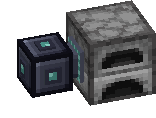
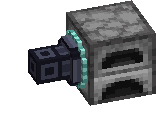
The Access Port is how your network talks to other machines. Put one next to a furnace, a modded machine or a multiblock, and write processing cards for it. Every block touching the port that takes items counts as a machine.
Setting it up
- Join the port to your network with a Data Cable.
- Write a processing card for it at an Encoding Terminal: what goes in, and up to three things that come back.
- Make the machine give its results back into the port, or use a hopper or a pipe. A JASM machine with an Input / Output key works with the port only through the side facing it: Input takes the ingredients, Output sends the results back into the port.
Fluids work too. Several machines share the work.
Two shapes
- Full block: also takes items from any face, even without a crafting job. It has an eight-slot buffer. Ordinary items go to the owner's paired Deck, or to another paired Deck you pick in the port. Items wait if the Deck is full.
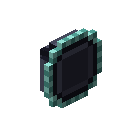
- Thin: a cable attachment, up to six on one cable, one per face. It can also sit straight on a machine with no cable. It stays off the network until you place a cable into its space, and it stays in place if the cable is broken.
Convert one into the other in a crafting grid. Both recipes are below.
Good to know
- A thin port serves and accepts items only through its outward face, including from pipes and hoppers while idle.
- Blocking mode waits to send new ingredients while the machine still holds some for this recipe.
- Add a Power Upgrade to supply FE to the machine it faces.
- Five upgrade slots take up to four Speed Upgrades and one Redstone Upgrade. A paused port moves nothing and shows Paused, and crafting jobs wait for it.
- It uses 2 FE a tick and counts toward the machine limit.
Recipes
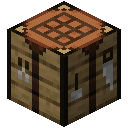 Crafting




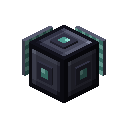 Crafting
 Crafting